Key takeaways
- One row per component, including spare or alternate selections.
- Capture flow, voltage, and pad location, not only a product name.
- Record published model documentation and its revision; exclude unsupported promotional claims.
- Update the schedule when the construction method or cover drive changes.
Missing model or service-space fields can leave a pad reservation unusable. Use the revised tables below; copy or print them for planning. Revision 2, October 8, 2026: added model, quantity, units, service-space and source/date fields plus a hypothetical entry. Print companion PDF uses the same revision; its existing download address is retained.
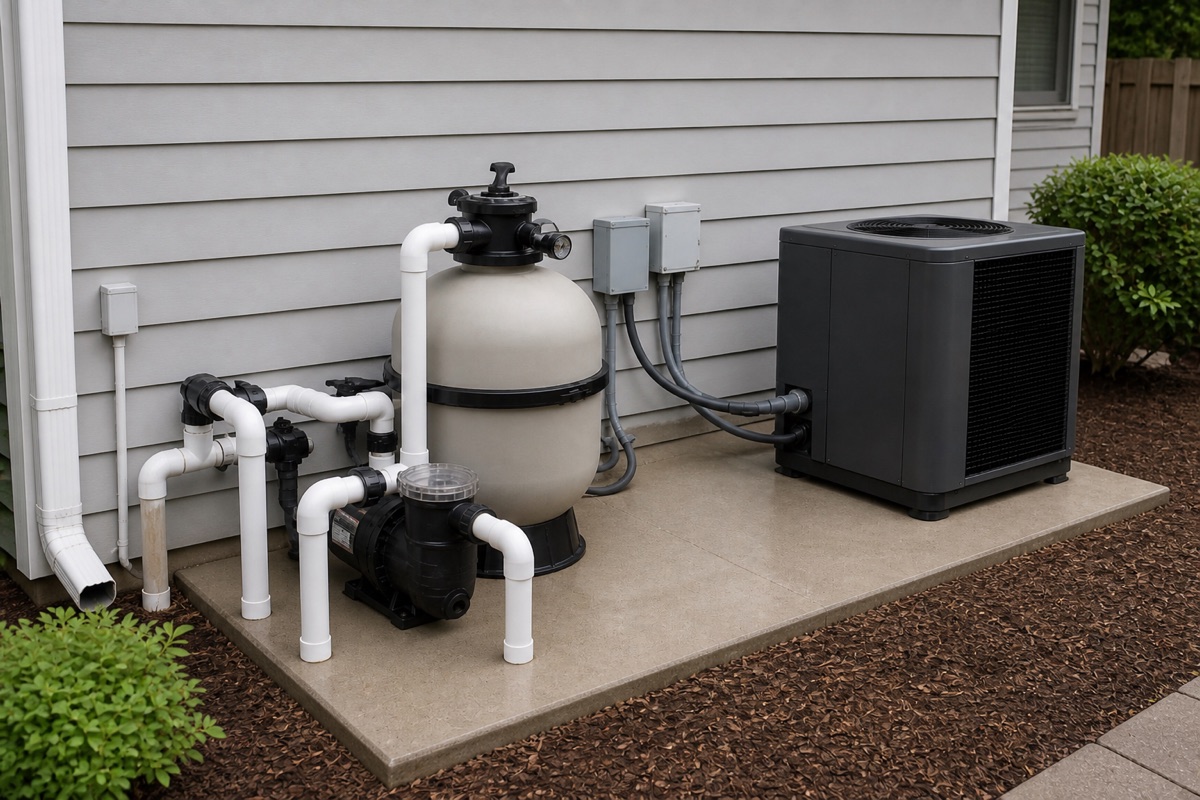
Circulation and filtration
Scroll horizontally to read all columns.
| ID | Component | Model / quantity | Flow or duty / unit | Power / fuel / pipe |
|---|---|---|---|---|
| P-1 | Circulation pump | ___ / ___ | ___ / ___ | ___ |
| F-1 | Filter | ___ / ___ | ___ / ___ | ___ |
| V-1 | Multiport / valves | ___ / ___ | ___ / ___ | ___ |
| S-1 | Sanitizer / feeder | ___ / ___ | ___ / ___ | ___ |
Scroll horizontally to read all columns.
| ID | Component | Footprint / service clearance / unit | Location / status | Source / revision / checked date |
|---|---|---|---|---|
| P-1 | Circulation pump | ___ / ___ / ___ | ___ / ___ | ___ / ___ / ___ |
| F-1 | Filter | ___ / ___ / ___ | ___ / ___ | ___ / ___ / ___ |
| V-1 | Multiport / valves | ___ / ___ / ___ | ___ / ___ | ___ / ___ / ___ |
| S-1 | Sanitizer / feeder | ___ / ___ / ___ | ___ / ___ | ___ / ___ / ___ |
Heat and water quality
Scroll horizontally to read all columns.
| ID | Component | Model / quantity | Flow or duty / unit | Power / fuel / pipe |
|---|---|---|---|---|
| H-1 | Heater / heat pump | ___ / ___ | ___ / ___ | ___ |
| C-1 | Controller | ___ / ___ | ___ / ___ | ___ |
| W-1 | Feature pump, if selected | ___ / ___ | ___ / ___ | ___ |
| X-1 | Other | ___ / ___ | ___ / ___ | ___ |
Scroll horizontally to read all columns.
| ID | Component | Footprint / service clearance / unit | Location / status | Source / revision / checked date |
|---|---|---|---|---|
| H-1 | Heater / heat pump | ___ / ___ / ___ | ___ / ___ | ___ / ___ / ___ |
| C-1 | Controller | ___ / ___ / ___ | ___ / ___ | ___ / ___ / ___ |
| W-1 | Feature pump, if selected | ___ / ___ / ___ | ___ / ___ | ___ / ___ / ___ |
| X-1 | Other | ___ / ___ / ___ | ___ / ___ | ___ / ___ / ___ |
Cover and electrical reservations
Scroll horizontally to read all columns.
| ID | Component | Model / quantity | Flow or duty / unit | Power / fuel / pipe |
|---|---|---|---|---|
| CV-1 | Cover drive / powerpack | ___ / ___ | ___ / ___ | ___ |
| CV-2 | Control station | ___ / ___ | ___ / ___ | ___ |
| E-1 | Disconnect / bonding | ___ / ___ | ___ / ___ | ___ |
| E-2 | Supply conduit | ___ / ___ | ___ / ___ | ___ |
Scroll horizontally to read all columns.
| ID | Component | Footprint / service clearance / unit | Location / status | Source / revision / checked date |
|---|---|---|---|---|
| CV-1 | Cover drive / powerpack | ___ / ___ / ___ | ___ / ___ | ___ / ___ / ___ |
| CV-2 | Control station | ___ / ___ / ___ | ___ / ___ | ___ / ___ / ___ |
| E-1 | Disconnect / bonding | ___ / ___ / ___ | ___ / ___ | ___ / ___ / ___ |
| E-2 | Supply conduit | ___ / ___ / ___ | ___ / ___ | ___ / ___ / ___ |
Keep the published model document, revision and check date with each row. Reject unsupported promotional claims. Use N/A for an inapplicable field and “to confirm” for missing data; do not use zero for unknown flow. Footprint is the equipment outline; service clearance is additional space, including vertical lid removal and airflow.
Hypothetical entry, assumed inputs only: P-1 | circulation pump | model to confirm / quantity 1 | flow to confirm, GPM | power/pipe to confirm. Location: pad zone A; source, footprint and clearance: to confirm. This demonstrates notation, not an equipment selection.
A manufacturer’s IntelliFlo3 installation guide, P/N 356231 Rev. E (2025), includes dimension, performance and installation sections; the Clean & Clear Plus guide, P/N 178558 Rev. U (2023), Table 2, separates model-specific vertical access. These illustrate document fields to check, not recommended models.
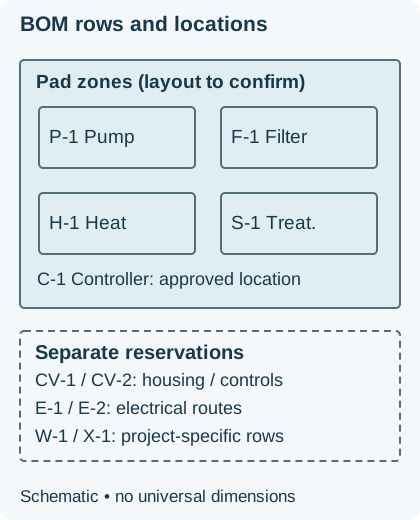
Related reading: the pool equipment hub, the cover coordination checklist, and the new pool project checklist.
Frequently asked questions
Can I use this as a purchase order?
No. It is a planning schedule. Quantities, model numbers, and voltages must still be confirmed against current manufacturer data and the project drawings.
Where should automatic cover equipment go?
Add the cover drive, key switch or controls, and any hydraulic pack as their own rows, and point to the cover coordination checklist for vault and drainage items.